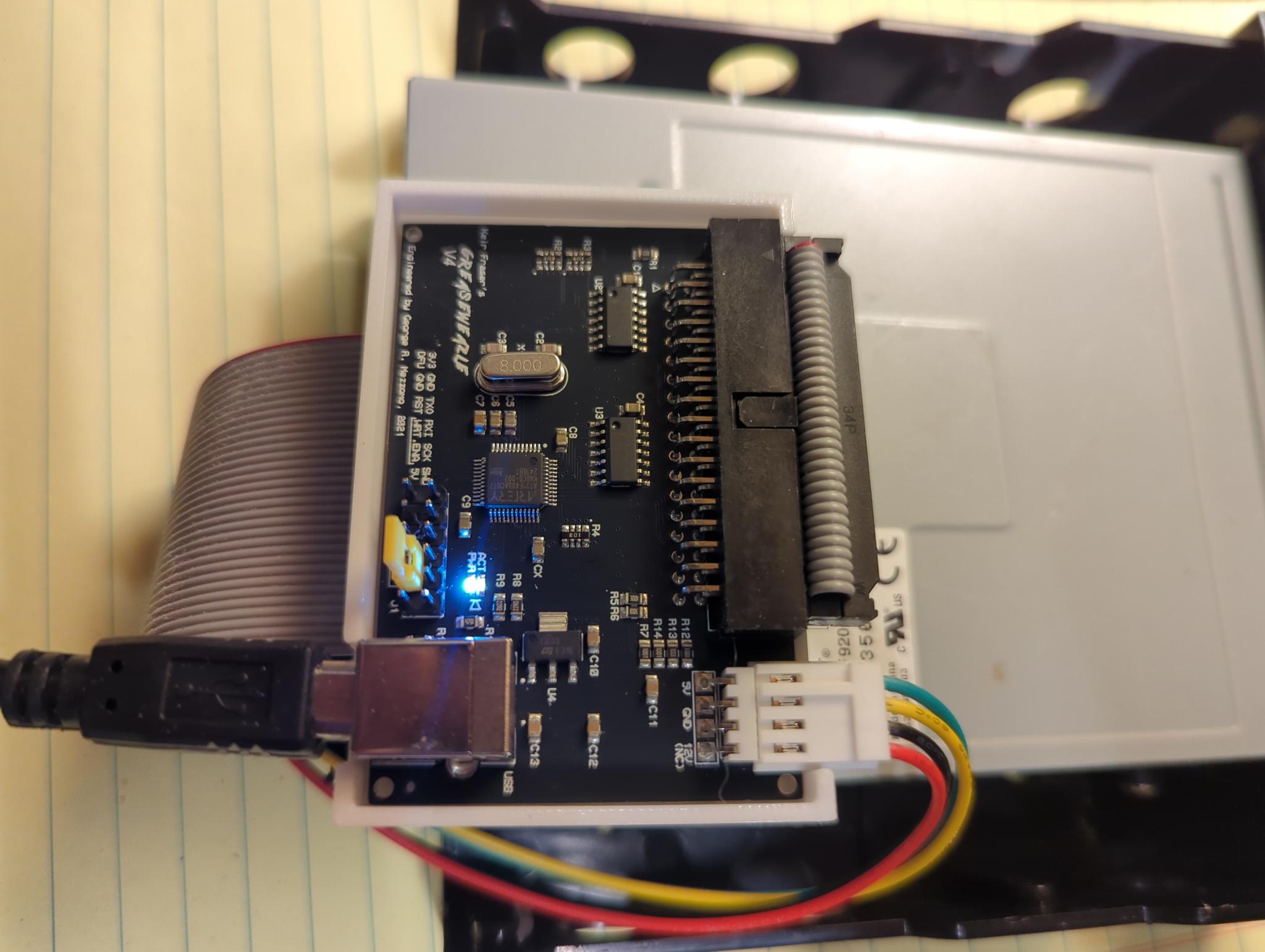
This is an article about backing up your Disklavier Floppy Disks using a specific tool called a Greaseweazle. If you do not have a Greaseweazle, and want a straightforward and less technical solution, please see the article on backing up your Yamaha floppy disks using simply an external floppy disk drive and downloadable tools.
I started using the Greaseweazle regularly to image hard-to-read disks last year, and I highly recommend it! I periodically encounter Disklavier floppy disks that will play acceptably in the piano, but which cannot be backed up on a computer. Player Piano Floppy Backup Utility (PPFBU) and other tools that are usually effective with Yamaha disks can’t see the files on the disk, and so my typical floppy disk backup routine doesn’t work.
Enter the Greaseweazle (see the Greaseweazle GitHub page). This is an inexpensive device that serves as a sort of translator between a conventional floppy disk drive, and your computer. It allows you to, essentially, “scan” the disk, bypassing whatever obstacles are causing your disk to be unreadable. You’re making a copy of the disk based on magnetic flux, rather than attempting to actually read it. With this copy, called an image, you can produce other copies of the disk in the future. Or you can drop the image right onto your Nalbantov!
If you’d like to purchase one, the Greaseweazle v4.1 is available on Tindie (from Emmy Bear’s Retro and 3D Printing).
In this tutorial, I skip straight to creating usable image files such as IMG and HFE. But if you have rare or unique disks, see my separate article on making archival copies and the workflow I use for those. Customers sometimes send me truly irreplaceable material: outtakes by famous musicians from 30 years ago, recordings of family members who have passed away, and similar items. In those cases, I start with that archival workflow instead. For most disks, though, you can continue reading below.
Using a Greaseweazle to Scan the Old Disk
First, you’ll need an image of the original disk.
There are many ways to do this, but using the Greaseweazle tools on GitHub, you can produce HFE image files, which are relatively small bit-level scans. These are the same files used on the Nalbantov and FlashFloppy.
Note that I needed to add the --drive=1 switch, as I was using a straight floppy disk cable without a twist. If you’re using a twisted floppy disk cable, you might need a different switch. See the Greaseweazle documentation for details.
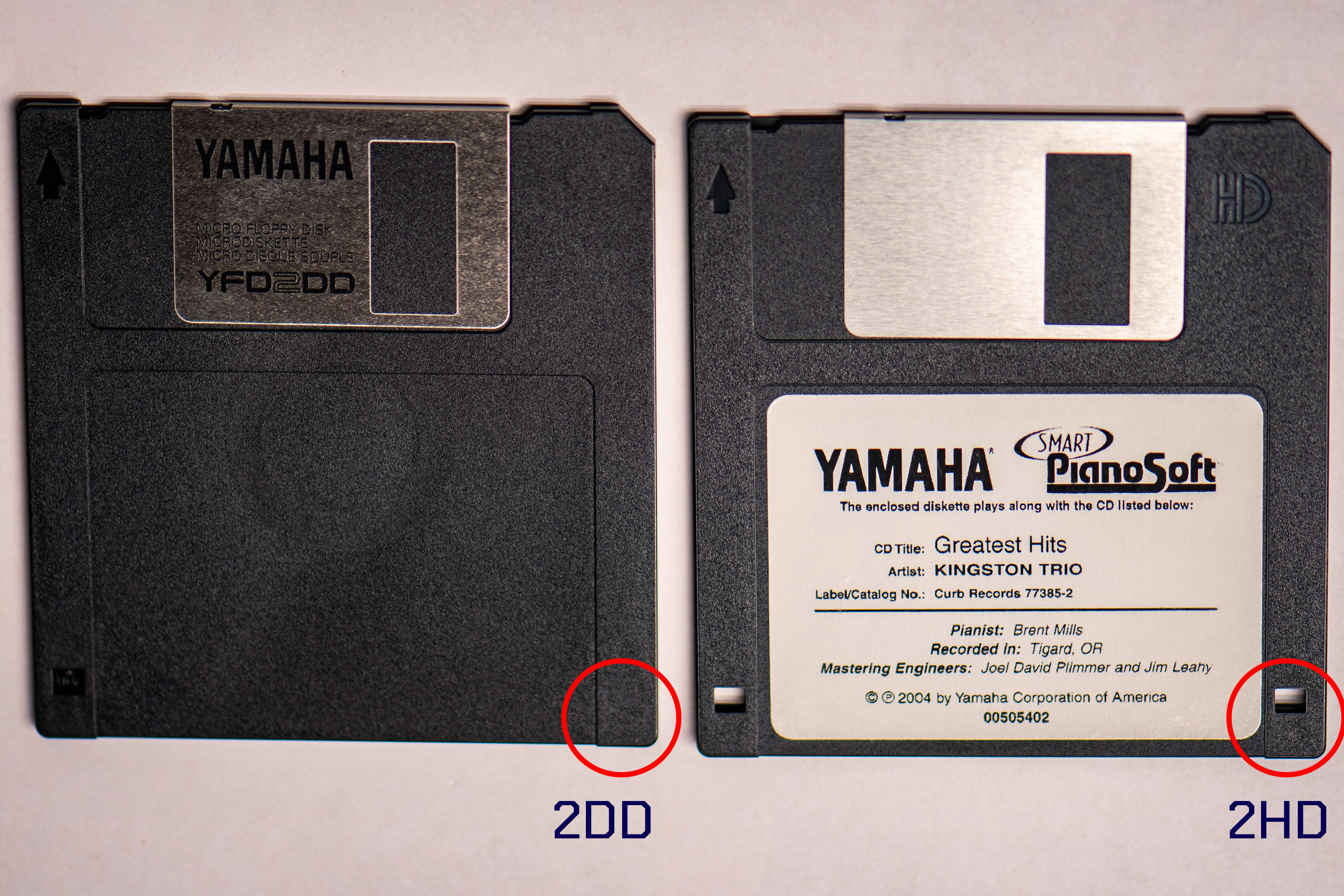
Note also that nearly all early Disklavier floppy disks are 720 KB 2DD disks. You can determine which you have by checking to see whether there are two holes. 2DD disks have just one. See below. If you have a 2DD disk, adding the --format=ibm.720 switch is appropriate. If, on the other hand, you have a newer 2HD disk (typically used in the Mark III or later), you’ll need to use --format=ibm.1440 instead.
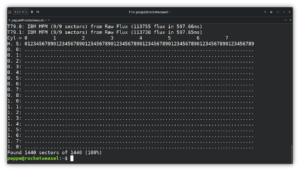
Instruction: gw read --drive=1 --format=ibm.720 [DISKNAME].hfe
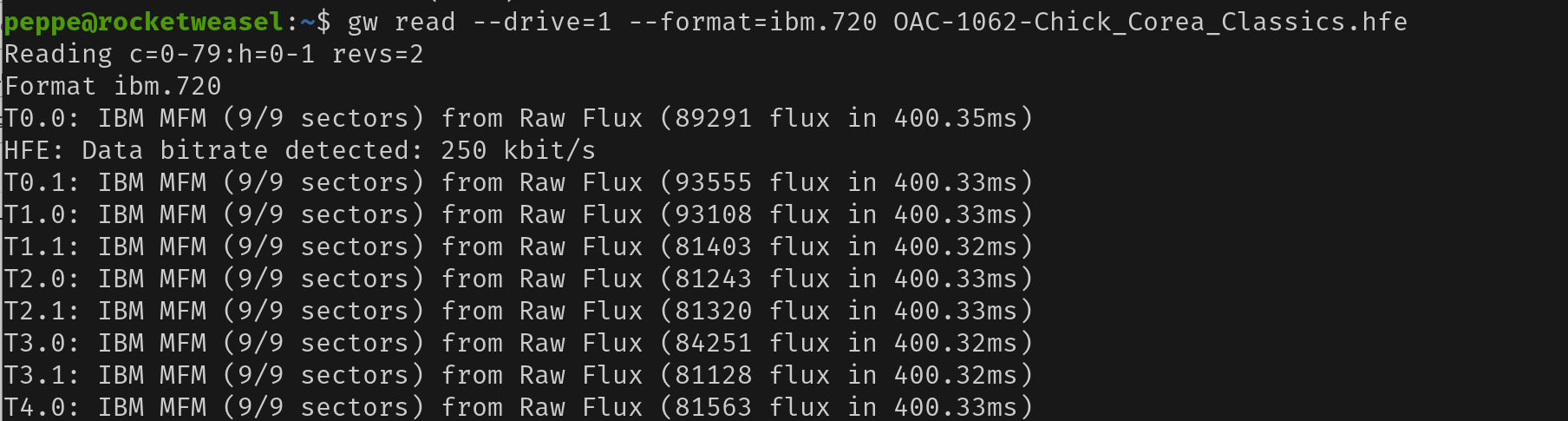
gw read --drive=1 --format=ibm.720 OAC-1062-Chick_Corea_Classics.hfe on my computer.Using HFE files on your Nalbantov or FlashFloppy
Yes! You can simply drop the HFE image file on your Nalbantov USB stick! Disk Browser and other HxC tools probably won’t be able to open the HFE file like they can other disks, as Yamaha’s copy protection will still be fully intact.
If you’re using the Nalbantov slim or a Gotek with FlashFloppy and a numerical display, be sure to name the file using the naming convention already present on the disk. For instance, if you want your newly scanned disk to be disk 003, name the file DSKA0003.HFE before copying it onto your Nalbantov. (Adjust this guidance as appropriate.)
However, your Yamaha Disklavier will be able to read it. And this technique works very well even with disks that have enough corruption that PPFBU can’t read them. This is my go-to strategy for hard-to-read disks.
Using the Greaseweazle to Write the New Disk
Write the disk image with the following instruction:
Instruction: gw write --drive=1 --format=ibm.720 [FILENAME].hfe
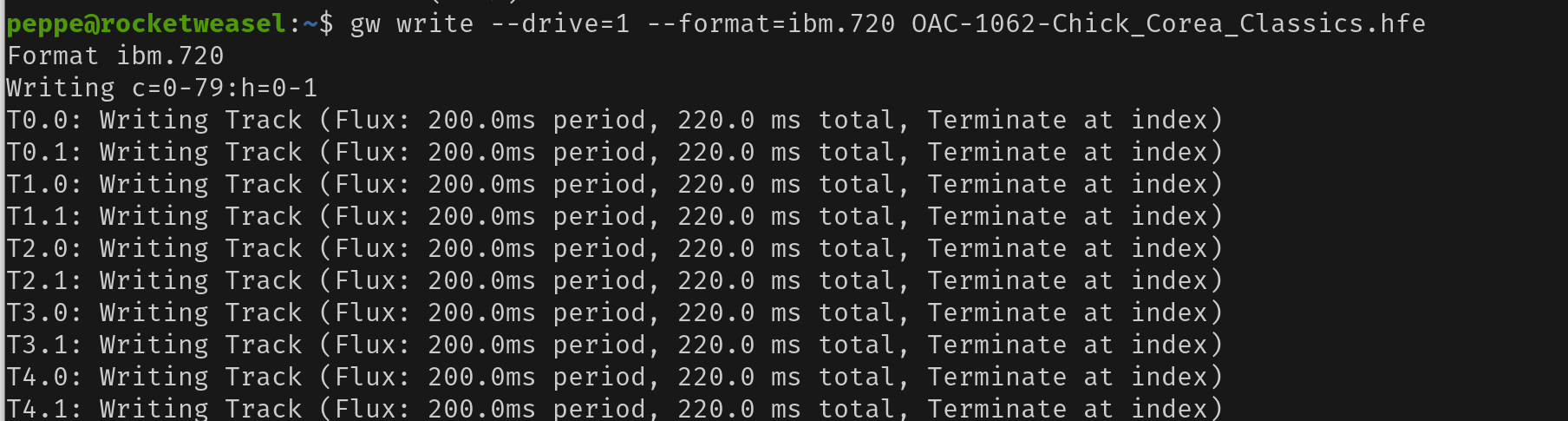
gw write --drive=1 --format=ibm.720 OAC-1062-Chick_Corea_Classics.hfe on my computer.Always test your duplicates! Even if you’re just storing your disks so that you have a collection of images for the future, write the image to a disk temporarily and check it by playing it in your piano.
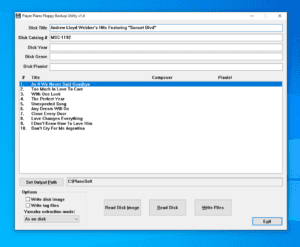
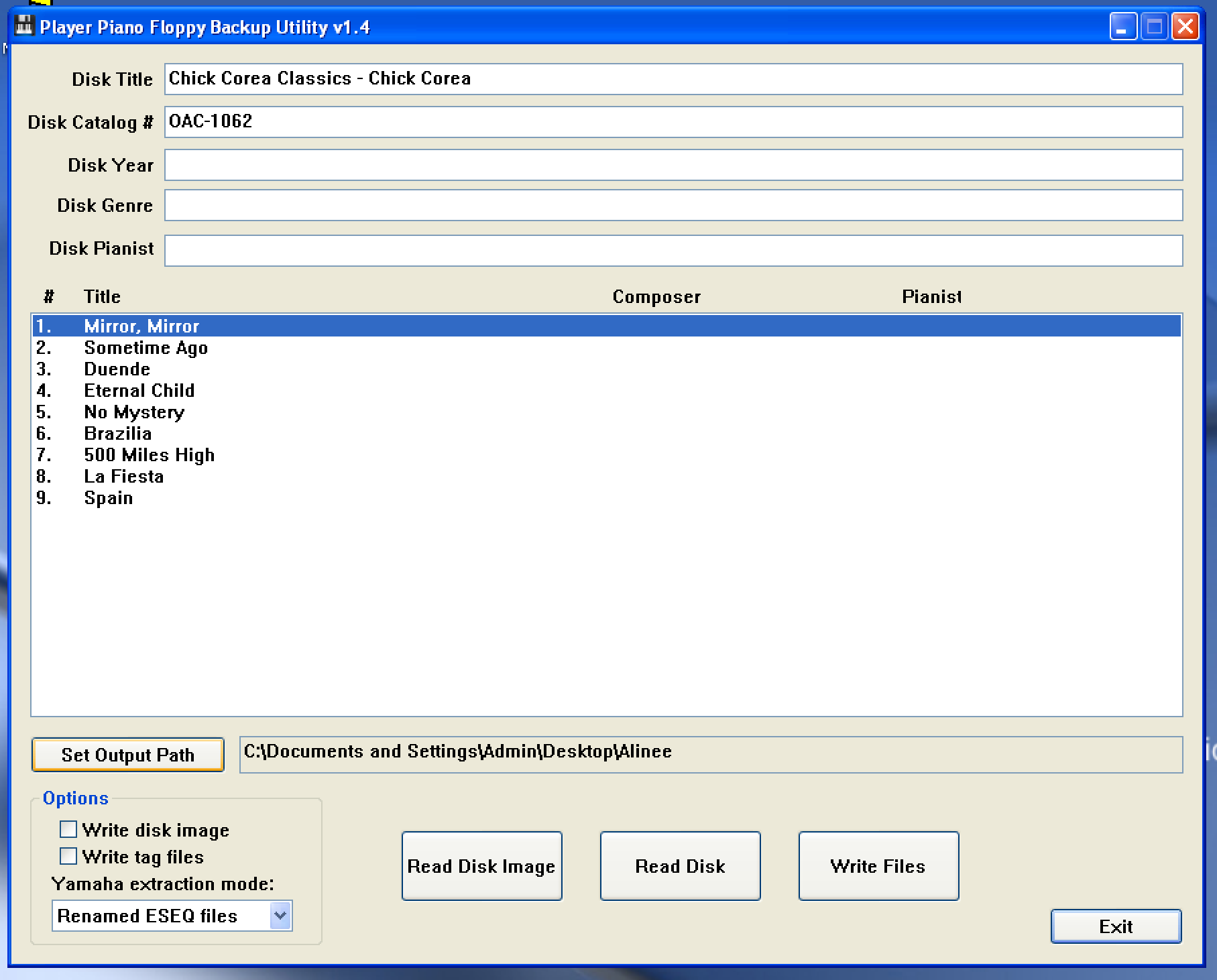
In the case of the example above, the computer was, in fact, able to read the original disk, and so I verified it could read the new one with PPFBU:
Considering a KryoFlux®?
If you’re considering a KryoFlux® for reading your old floppy disks, please consider the Greaseweazle instead. The Greaseweazle is open-source, dramatically cheaper, well-documented, and doesn’t have any usage restrictions.
I originally tried to order a KryoFlux® to experiment with, but ran into an issue during the ordering process. In the email exchange, the managing director told me I needed to provide a home residential address. That crossed a privacy boundary for me, so I cancelled the order and looked for alternatives instead. Fortunately, I discovered the Greaseweazle and have been extremely pleased with both it and its community.
For most Disklavier owners and technicians, a tool like the Greaseweazle—cheaper, open-source, and free of those kinds of requirements—is the better fit. It’s the solution I recommend and use throughout this guide.